Blog

TSports Live Buffering Fixes: Stop the Spinning Circle

Fix TSports Live buffering and playback problems with this step by step guide covering connections, app cache, quality settings, device restarts, and router fixes.

Rated 4.6/5 by 28k Users

TSports Live Buffering Fixes: Stop the Spinning Circle

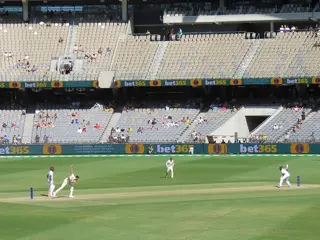
Nothing in streaming is more annoying than the spinning circle arriving just as the bowler runs in. The good news: TSports Live buffering almost always has a boring, fixable cause.

Work through this guide in order, from the ten second checks to the router level fixes, and most playback problems end early in the list.

For how streaming works under the hood, see: For the full breakdown, see How Sports Streaming Apps Work.

For a complete overview of the platform, visit the TSports Live official site.
First Checks: The Two Minute Round

Before changing anything, restart the stream, then restart the app. A surprising share of buffering is a single tired session, not your connection.

Check whether other apps stream normally. If everything buffers, the problem is your network; if only one app does, it is the app or its cache.

Start every diagnosis here:

  • Restart the stream
  • Restart the app fully
  • Test another streaming app
  • Check the match on another device

Your Connection: Speed and Stability

Live sport needs steady speed more than headline speed. A single HD stream wants roughly 5 to 8 Mbps arriving at the device without interruption.

Test on the watching device, in the watching room, at match time. Tests run beside the router at midday describe a network you do not actually watch on.

Wi-Fi Fixes That Work

Move the router into the open, switch televisions to the 5 GHz band, and keep streaming devices out of cabinets and away from thick walls where you can.

If the TV is fixed and the router is near, an Ethernet cable ends the Wi-Fi conversation permanently. It is the single most reliable buffering fix that exists.

Quality Settings and Buffering

Forcing maximum quality on a modest connection guarantees buffering. Automatic quality, or one notch below maximum, trades an invisible amount of sharpness for a stream that never stops.

On mobile data, a medium fixed setting is the sweet spot for sport: the ball stays visible and the stream stays up. We go deeper on this in Live Sports Streaming Guide for Beginners.

Clearing Cache and Restarting Devices

Streaming apps collect cache that eventually slows them. Clear the TSports Live cache in your device settings, then restart the device completely, not just to sleep.

Firesticks and TVs that never fully restart benefit most. Thirty seconds unplugged clears problems that weeks of sleeping create.

Router Restarts and Settings

Routers are small computers and they tire like computers. A weekly restart prevents a whole family of mysterious streaming problems.

Where your router offers device prioritisation, give the TV or streaming device priority during matches. Live streams cannot wait in queues the way downloads can.

When Everyone Is Watching

Finals and derby days load everything: your home network, your provider, and the streams themselves. Expect to drop one quality notch on the biggest nights.

Open the stream earlier than usual on those days. Arriving before the crowd is a strategy, not just a habit. For the step-by-step side of this, see Best Free Sports Streaming Apps.

Problems on One Channel Only

If one channel buffers while others play cleanly, the problem sits in that channel's feed, not your setup. Switch to another channel carrying the event if one exists.

Note the time and channel. Feed problems repeat, and recognising them saves you from fixing a healthy home network.

Background Apps and Devices

Other devices streaming, gaming or updating at the same moment divide the connection your match needs. On problem nights, audit the house before blaming the app.

Smart home gadgets matter less individually, but a cloud backup starting mid match is a classic hidden cause.

DNS and Advanced Steps

Occasionally a provider's default routing is simply poor for streaming at peak time. Advanced users sometimes find a reputable alternative DNS steadier, though results vary by provider.

Change one advanced setting at a time and test across a full evening. Networking folklore is plentiful; your own measurements are the authority.

Keeping a Problem Log

Note the date, time, channel and symptom whenever buffering strikes. Patterns in a log, like every Sunday evening or one channel only, point straight at causes.

Three entries usually reveal what three weeks of guessing did not.

Device Age and Honest Limits

Very old phones, sticks and televisions eventually struggle with modern streams no matter how clean the network is. If one ageing device buffers while everything else plays, the device has given you its answer.

A modest modern streaming stick revives an old television completely, and is usually the cheapest fix in this entire guide.

Peak Hour Patterns

Keep mental notes of when problems happen. Buffering only on big match nights points at load; buffering at random points at your own setup.

Matching the fix to the pattern saves the classic wasted weekend of rebuilding a healthy network for a provider side problem.

When to Suspect Your Provider

If a wired speed test at the router falls far below your plan at peak hours, the line or provider is the problem. Keep dated test results before calling.

Providers fix evidence faster than complaints. Three peak hour results make the case for you.

Conclusion

Buffering feels mysterious and is almost never a mystery. Restart, test honestly, fix the Wi-Fi, set quality sensibly, and TSports Live settles into the background where it belongs, leaving only the match.

Next Recommended Reading:

because understanding how streaming apps work makes every future fix faster.

Download APK
Arif Chowdhury

Reviewed by

Arif Chowdhury

Sports Streaming Reviewer

Arif covers cricket and football streaming apps, verifying live match playback, buffering and data use on real devices before any app is listed here.

More about Arif Chowdhury