Blog

Watch Live Sports on a Slow Connection: A Survival Guide

Learn how to watch live sports on a slow internet connection with quality settings, network priorities, device tips, and habits that keep matches watchable.

Rated 4.6/5 by 28k Users

Watch Live Sports on a Slow Connection: A Survival Guide

Not everyone streams on fibre. Rural lines, shared housing, travel connections and busy family networks all ask the same question: can live sport still work when the internet is slow? With the right settings, yes, most of the time.

This guide collects the techniques that keep matches watchable on modest connections, in the order they help most.

It pairs with the beginner streaming guide: For the full breakdown, see Live Sports Streaming Guide for Beginners.

You can get the file and the full feature list from the TSports Live APK Download page.
Lower Quality, Happily

The first and biggest lever is stream quality. A stable SD or medium stream of a live match beats an HD stream that stops every minute, every single time.

On smaller screens the difference shrinks further. A phone at medium quality looks sharp; the same setting only feels poor on a large television.

Match quality to your line:

  • SD: roughly 2 to 3 Mbps needed
  • Medium: the slow connection sweet spot
  • HD: only when the line proves it
  • Automatic: let the app adapt live

Give the Match the Whole Network

During the match, pause downloads, updates and cloud backups on every device you control. On a slow line, one background update is the difference between smooth and slideshow.

Ask the household, kindly and early. People cooperate with a kickoff time far better than with a mid match complaint.

Wired Beats Wireless on Slow Lines

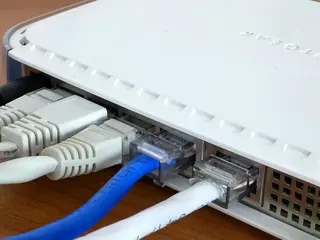
A slow connection cannot afford Wi-Fi losses. If the television can take an Ethernet cable, plug it in and reclaim the speed your walls were eating.

On phones, sit nearer the router for match time. Two rooms closer can be worth more than a plan upgrade.

One Stream at a Time

Slow lines support one live stream, not three. Choose the main screen for the match and let other viewing wait, or watch together, which is better anyway.

If two matches matter, follow one live and the other through highlights afterwards. Splitting a thin connection serves neither.

Preload Everything Else

Do the heavy digital chores before the match: app updates, system updates, and the downloads tomorrow needs. Match time should meet a quiet network.

Restart the router an hour before a big match too. It is a small ritual that prevents a family of slowdowns. We go deeper on this in How Sports Streaming Apps Work.

Radio and Low Data Fallbacks

When video truly cannot hold, commentary and live text coverage keep you with the game. Many fans on slow lines run commentary as the base and check video for big moments.

There is no shame in the fallback. Following live in any form beats a frozen screen pretending to be a match.

Travel and Public Wi-Fi

Hotel and cafe Wi-Fi is shared slow internet at its slowest. Start at the lowest quality, in a seat near the access point, and improve only if it holds for ten minutes.

Download nothing else on public networks during a match, and keep sessions on sensitive accounts for your own connection at home.

When Slow Is a Provider Problem

If your slow speeds arrive at the same peak hours daily, congestion or a line fault may be to blame rather than your setup.

Keep dated peak hour speed tests and raise them with your provider. Evidence turns a complaint into a fault ticket. For the step-by-step side of this, see Best Free Sports Streaming Apps.

Choosing Matches Wisely

On a slow line, choose fewer matches and watch them properly. One full match at stable quality satisfies more than three abandoned to buffering.

Highlights exist for the rest. A highlights habit is how slow connection fans still follow everything.

Off Peak Advantages

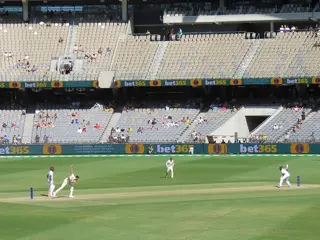
Slow lines often fly outside evening peaks. Daytime cricket sessions, early fixtures and replays in quiet hours can run at qualities prime time never allows.

Where your schedule allows, shift some viewing off peak and enjoy the connection you actually paid for.

Upgrading in the Right Order

If money enters the picture, spend it in order: cabling and router placement first, mesh or better router second, a faster plan only when tests prove the line is the ceiling.

Most households find the first two steps end the problem, which is fortunate, because they are also the cheapest.

Audio First Viewing

On the very slowest days, start with audio commentary and raise the video when the line allows. A match understood is a match enjoyed, whatever the picture is doing.

Many lifelong fans formed their love of sport through radio. The medium is a feature, not a failure.

Planning Big Matches Ahead

For a final on a slow line, rehearse: test the setup during a smaller match, fix what fails, and change nothing on the day itself.

Rehearsal sounds excessive until the first final plays start to finish without a single spinning circle.

Making Peace With Good Enough

Generations watched sport in standard definition and loved every minute. A clear, continuous picture at modest quality is a good broadcast by any honest standard.

Protect continuity first, sharpness second, and slow internet stops being a barrier and becomes a setting.

Conclusion

Slow internet changes how you watch, not whether you watch. Lower the quality proudly, quiet the network, wire what you can, and the match plays on. That is all live sport ever asked.

Next Recommended Reading:

because the free streaming options there suit modest connections and budgets alike.

Download APK
Arif Chowdhury

Reviewed by

Arif Chowdhury

Sports Streaming Reviewer

Arif covers cricket and football streaming apps, verifying live match playback, buffering and data use on real devices before any app is listed here.

More about Arif Chowdhury